> ## Documentation Index
> Fetch the complete documentation index at: https://docs.blockops.network/llms.txt
> Use this file to discover all available pages before exploring further.
# Endpoints, keys & authentication
> Generate HTTP and WebSocket endpoints, authenticate with your API key, and rotate it.
**Accessing Endpoints**
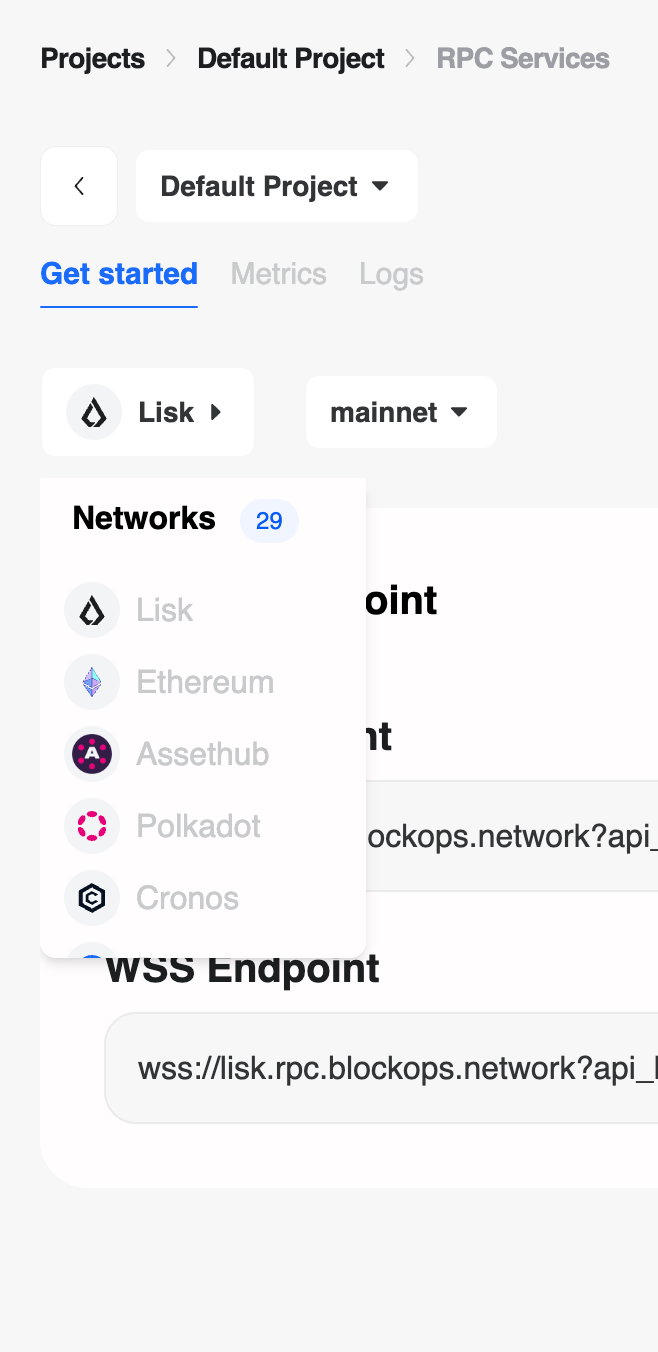
1. **Select Project:** Choose your project from the top dropdown (e.g., "Default Project").
2. **Select Network:** Use the network selector to switch between chains (e.g., **Lisk** vs **Ethereum**) and environments (**Mainnet** vs **Testnet**).
 **RPC Endpoints**
Once a network is selected, your unique **HTTP** and **WSS** (WebSocket) endpoints are automatically generated.
* **HTTP Endpoint:** Use this for standard JSON-RPC requests (e.g., fetching block data).
* **WSS Endpoint:** Use this for real-time subscriptions and events.
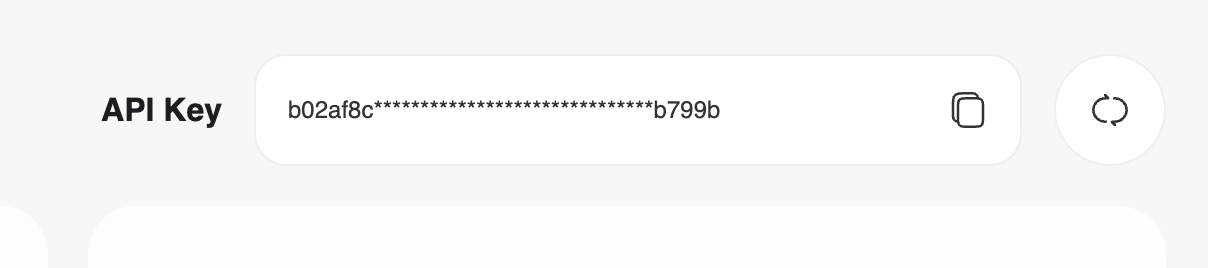
You can view your full **API Key** on the right side of the dashboard.
**RPC Endpoints**
Once a network is selected, your unique **HTTP** and **WSS** (WebSocket) endpoints are automatically generated.
* **HTTP Endpoint:** Use this for standard JSON-RPC requests (e.g., fetching block data).
* **WSS Endpoint:** Use this for real-time subscriptions and events.
You can view your full **API Key** on the right side of the dashboard.
 **Authentication**
You can connect to the network using WebSocket or HTTP with your API key in two ways:
* Adding the API key as a query string `?api_key=${APIKEY}`
* Or the request header `-H 'authorization: APIKEY ${APIKEY}'`
**Integration Helper**
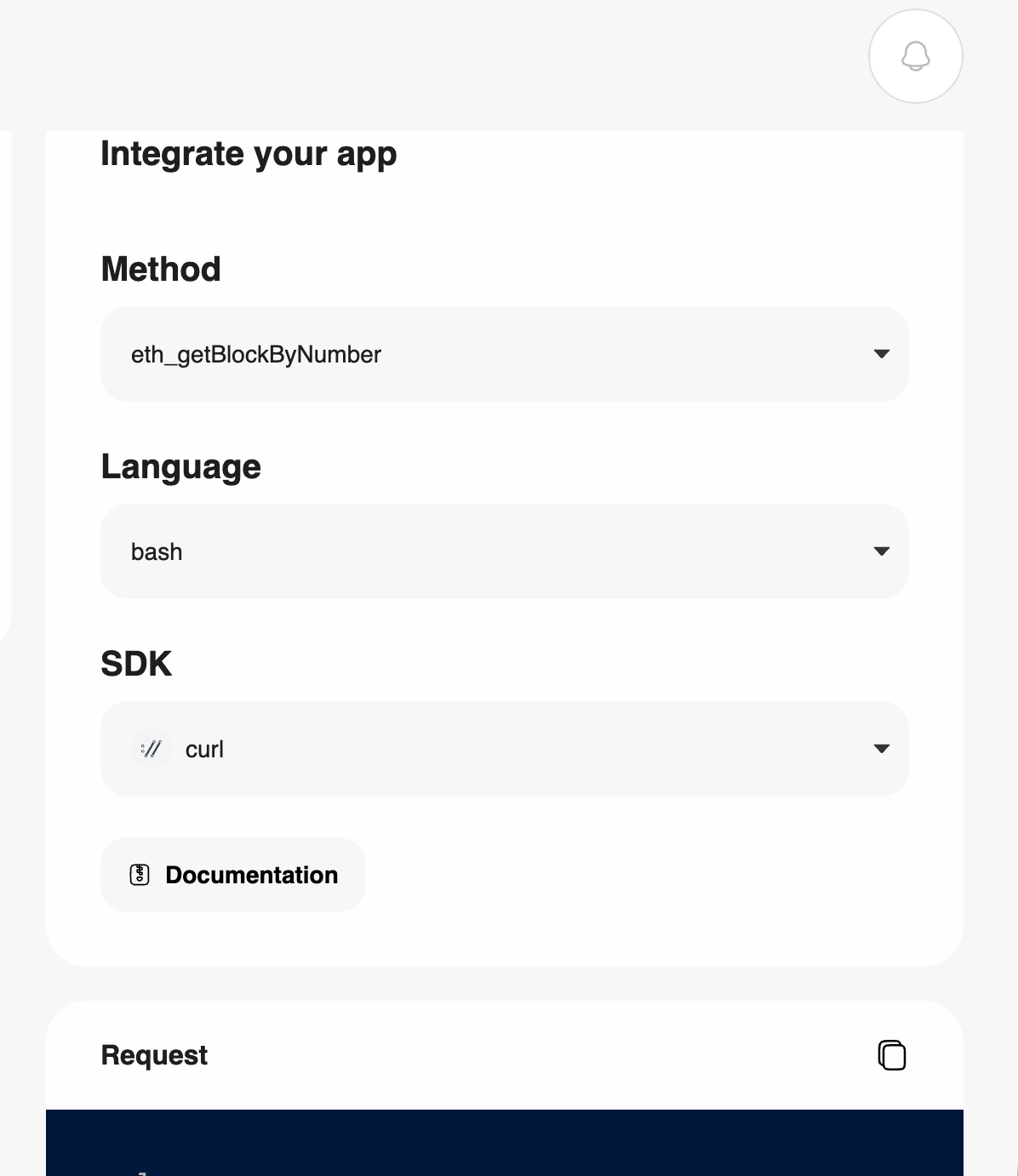
The dashboard includes a built-in integration helper. Select a method (e.g., `eth_getBlockByNumber`) and a language (e.g., `bash`, `js`, `python`) to generate a ready-to-use code snippet tailored to your API key.
**Authentication**
You can connect to the network using WebSocket or HTTP with your API key in two ways:
* Adding the API key as a query string `?api_key=${APIKEY}`
* Or the request header `-H 'authorization: APIKEY ${APIKEY}'`
**Integration Helper**
The dashboard includes a built-in integration helper. Select a method (e.g., `eth_getBlockByNumber`) and a language (e.g., `bash`, `js`, `python`) to generate a ready-to-use code snippet tailored to your API key.
 ### Rotate API Key
Rotating API keys is important when an unauthorized third party has access to your API key. You have the option to reset it by using the Rotate Key button located in the project dashboard.
### Rotate API Key
Rotating API keys is important when an unauthorized third party has access to your API key. You have the option to reset it by using the Rotate Key button located in the project dashboard.
