

How to Connect to Optimism
You can connect to Optimism using Blockops private API endpoints. Secure your data, speed up your queries, and take control of your API usage with our RPC API endpoint and personalized API keys. Sign up now to get your own API key.Optimism Mainnet
To get your API key, create a project using a unique Identifier as the project name and select Optimism from the network options.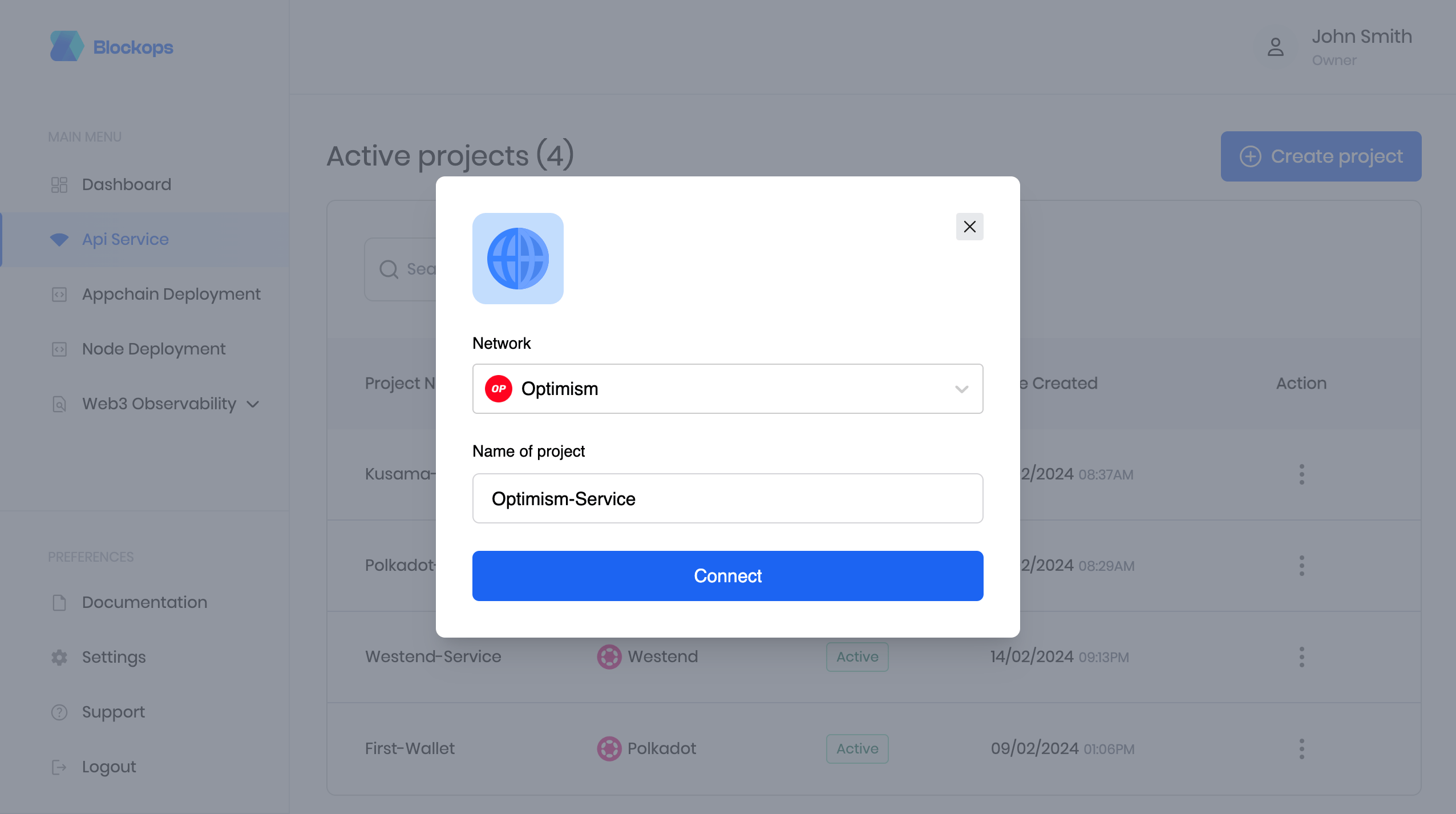
Create Optimism project
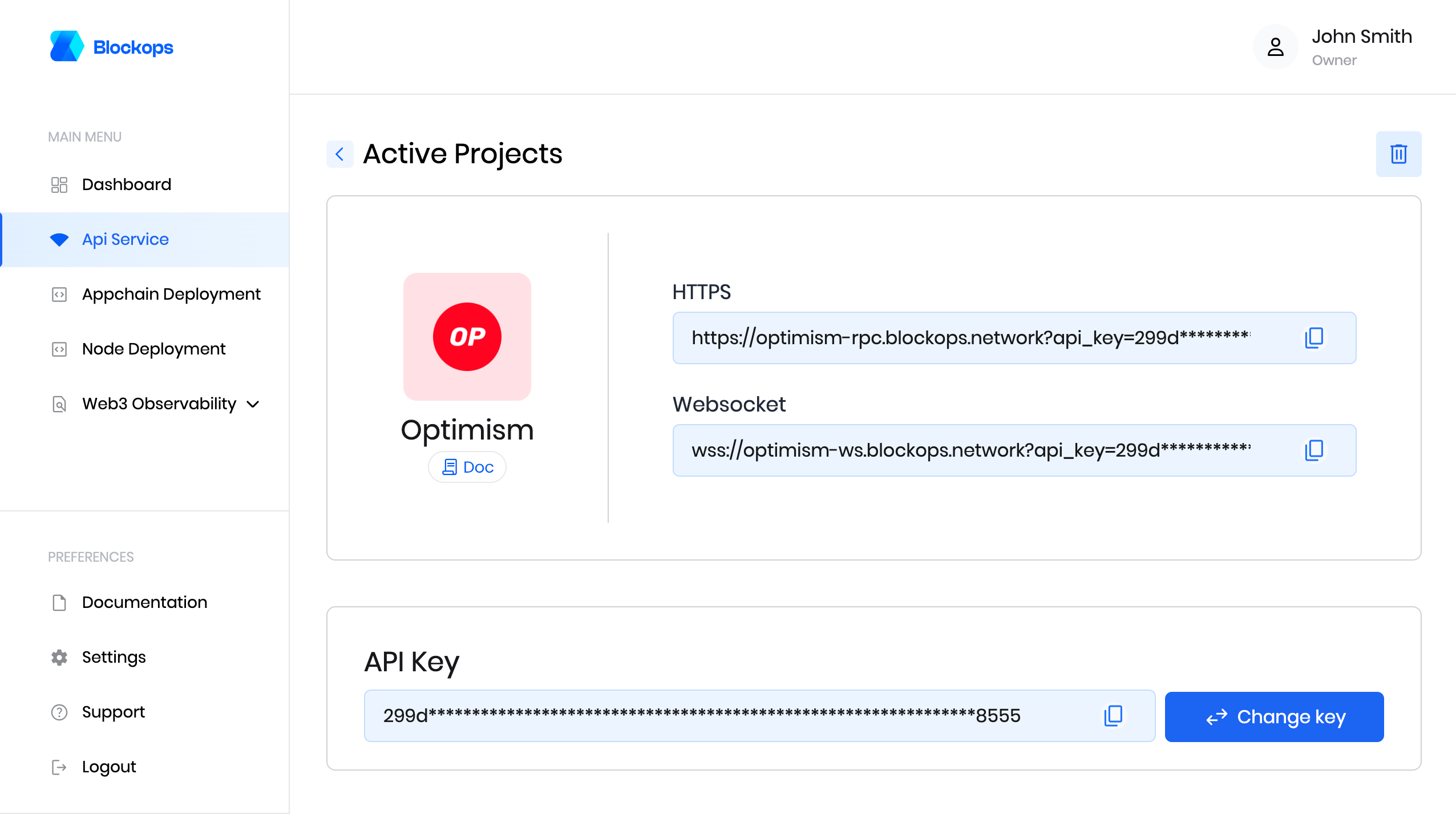
view Optimism project
Optimism Sepolia
To get your API key, create a project using a unique Identifier as the project name and select Optimism Sepolia from the network options.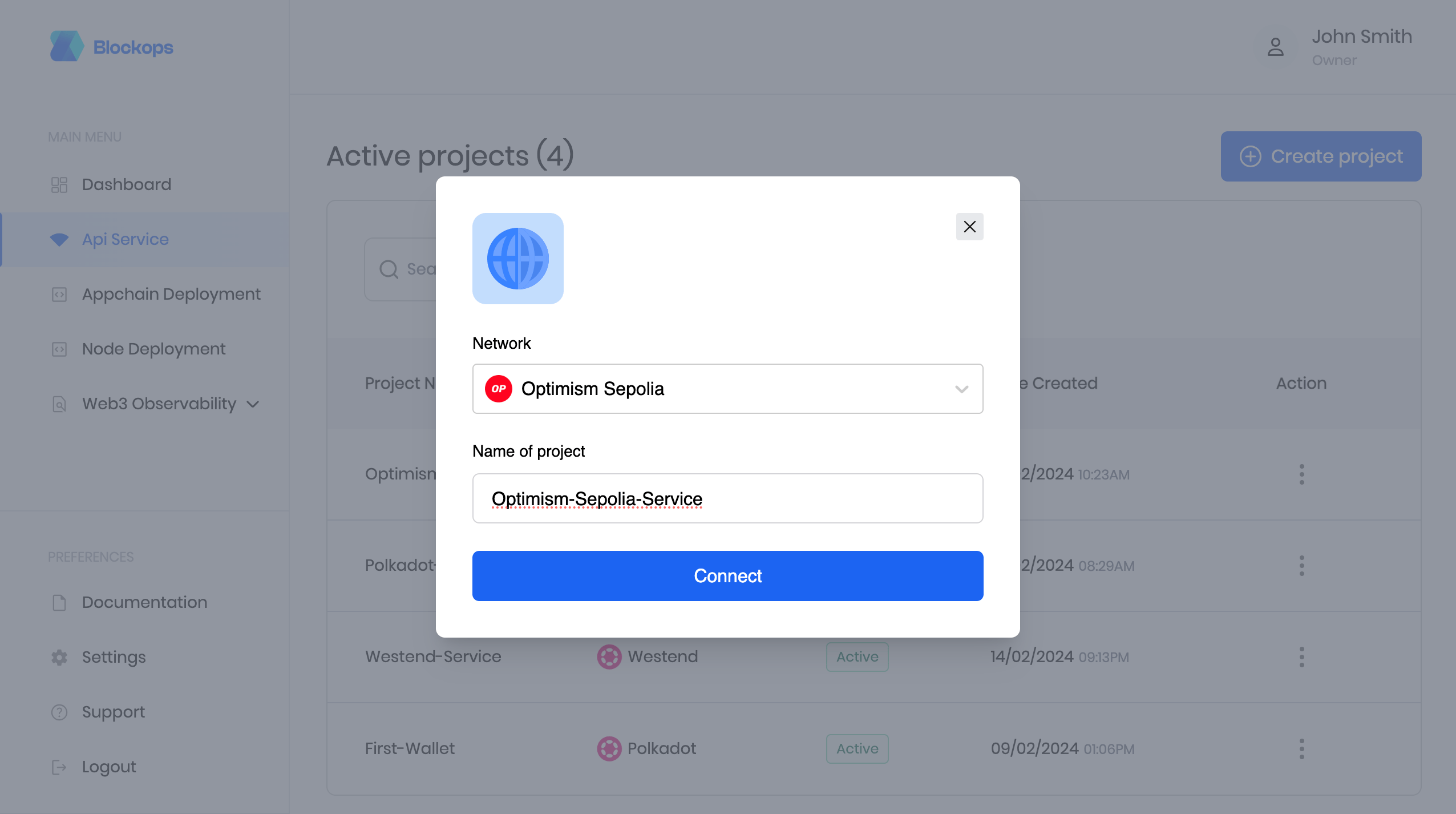
Create Optimism Sepolia project
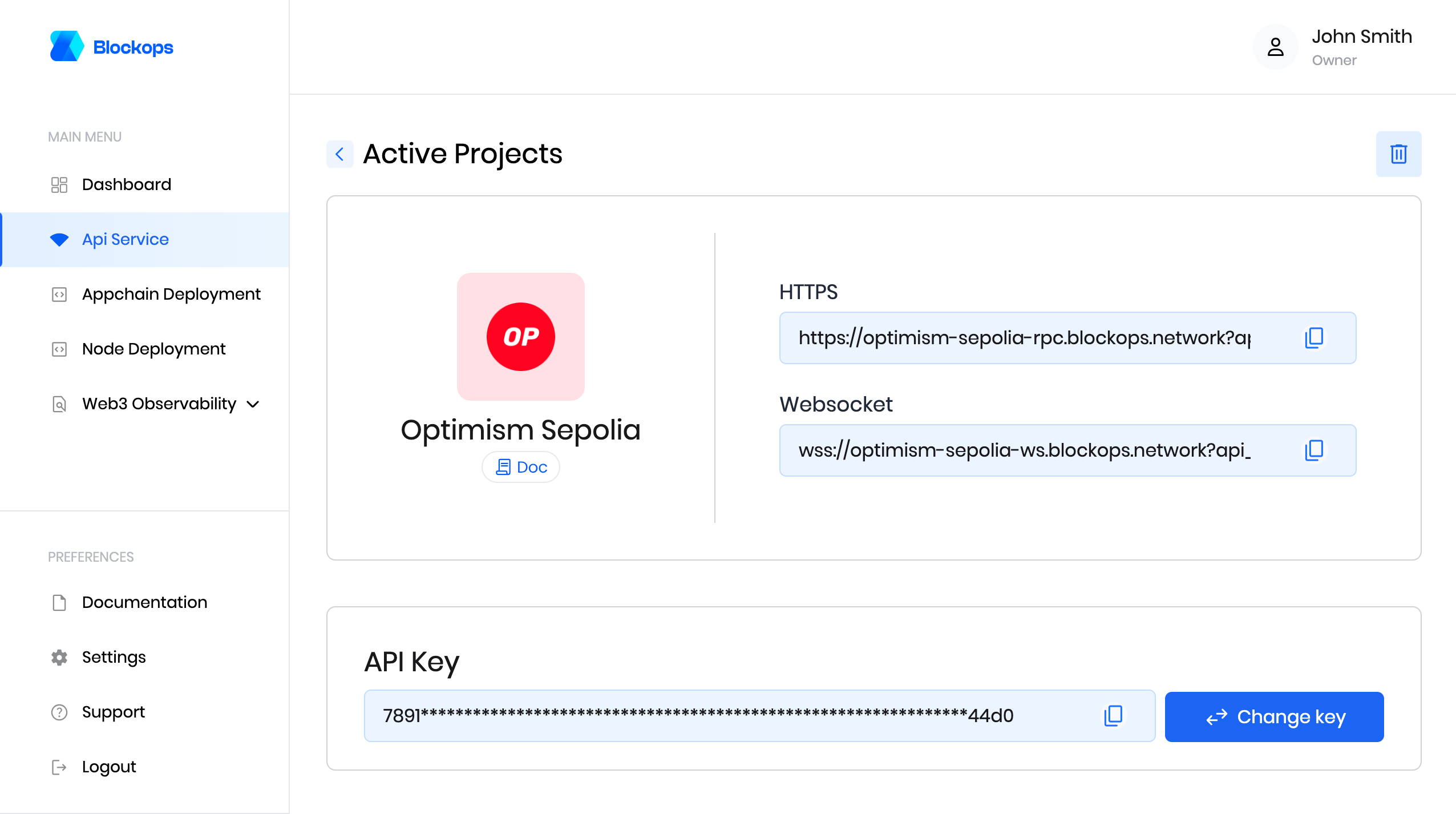
view Optimism Sepolia project
Send requests
All requests are
POST requests.- Https
- Websocket
For Optimism MainnetFor Optimism Sepolia
- Adding the API key as a query string
?api_key=${APIKEY} - Or the request header
-H 'authorization: APIKEY ${APIKEY}'
Optimism Mainnet
Optimism Sepolia
- Download wscat from https://www.npmjs.com/package/wscat
- Install wscat by running the following command:
npm install -g wscat
Optimism Mainnet
Optimism Sepolia
For more information on the Optimism network, please see the official Optimism website.